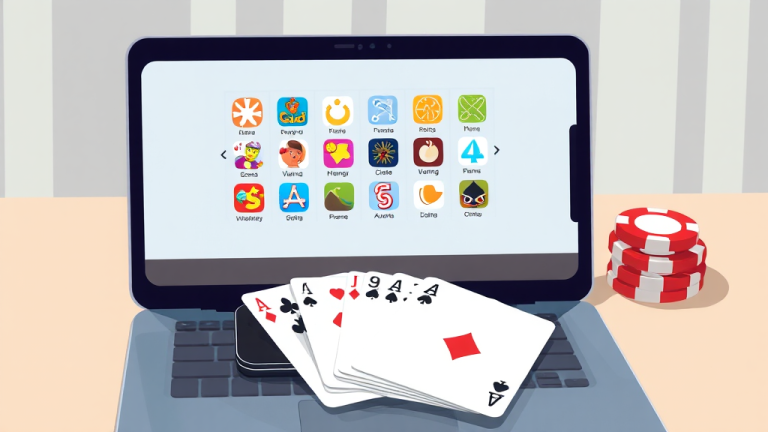
A Support Technician’s 20-Minute Walkthrough for Setting Up an Online Rummy Game
Before you tap anything, get four things ready: a phone with at least 2 GB of free storage, a stable connection (Wi-Fi or 4G, not a dying hotspot), a mobile number you can receive SMS on, and a payment method you have used before. That is the whole checklist. I have handled enough of these tickets to know that about 80% of “it won’t work” complaints trace back to one of those four items, not to the app itself.
I work support tickets, which means I see the same setup problems from hundreds of people who never talk to each other. Someone installs an Online Rummy Game, gets stuck at the OTP screen, and assumes the platform is broken. Someone else deposits money, wins a hand, and then panics because the withdrawal button is greyed out. Nine times out of ten, there is a boring, fixable reason. This is the walkthrough I would give you if you called in, written out in the order I would actually walk you through it.
Step one: pick the right app before you install anything
Most people skip straight to downloading whatever app they saw in an ad. That is how you end up in my queue three days later asking why verification is taking a week. The app you choose determines almost everything that follows: how fast withdrawals land, what documents they want, how their support responds when something breaks.
Comparison directories exist for exactly this reason. A site like Rummy Lists curates app listings with editorial ratings, welcome offer details, payment notes and trust signals side by side, so you are not guessing from a single flashy banner. Spend five minutes there before you spend five minutes installing. Check three things specifically:
Withdrawal terms. Look for the minimum withdrawal amount and the stated processing time. If a listing does not mention either, treat that as a warning sign rather than an oversight.
Verification requirements. Some apps ask for ID verification only at withdrawal. Others ask at signup. Knowing which one you are walking into saves you the surprise.
Payment methods. If the app supports UPI but not the bank you actually use, you have found your problem before it found you.
Step two: install, register, and get past the OTP screen
Once you have picked your app, installation is usually the easy part. Registration is where the first real tickets come from. Here is the sequence that works, and the specific failure points at each stage.
Download from the official source. If the app is on the Play Store, use that. If it is distributed as a direct APK, get it from the operator’s own site. Third-party APK mirrors are how people end up with a build that cannot receive OTPs because the SMS permissions were stripped or altered.
Register with a number you control right now. Not a number that is in another room, not a number that belongs to a family member. The OTP arrives within seconds and usually expires in a few minutes. If you register with someone else’s number, you will be stuck at every future login too.
If the OTP does not arrive: wait 60 seconds, check whether your SMS inbox is full, toggle airplane mode on and off, and request a new code. If a second code also fails, the issue is almost always the number itself — a DND-registered number, a corporate line, or a VoIP number that cannot receive short-code SMS. Switch to a standard personal mobile number and it will work.
Set a password you can actually recall. I cannot tell you how many password reset tickets I have closed where the person had saved the password nowhere and registered with an email they no longer check. Write it down somewhere physical. This is not a security lecture; it is a time-saving tip.
Step three: understand the table before you sit at it
This is the part people rush, and it is the part that costs them. An online rummy game has a small number of rule variations, and the app will usually let you pick between them. If you sit at the wrong variant, you will play legal-looking moves that the engine rejects, and you will assume the game is buggy.
The two formats you will see most often are points rummy and pool rummy. Points rummy ends when a player reaches a set score threshold, and each hand adds or subtracts points based on the cards left in your hand. Pool rummy gives every player the same starting chip count, and you are eliminated when your chips run out. The card mechanics — drawing, discarding, melding — are the same. The scoring pressure is completely different.
Learn the meld rules before your first real hand. A valid meld is either a set of three or four cards of the same rank in different suits, or a run of three or more consecutive cards in the same suit. A pure run has no joker substituting for a card; an impure run does. A declaration is only valid if every card in your hand is arranged into valid melds with at most one card left over as the finish card. Get this wrong and your declaration gets rejected — which, again, is not a bug.
Use the practice tables. Every reputable app has them, they cost nothing, and they let you make every mistake you are going to make without it counting against you. Twenty minutes at a practice table will save you twenty support tickets’ worth of confusion.
Step four: handle the money side without surprises
This is where the real frustration lives, so let me be direct about how it usually goes wrong.
Deposits. Complete your KYC before you deposit, not after. Most operators let you add money first and verify later, but the withdrawal path stays locked until verification clears. If you deposit, play, win, and only then start uploading documents, you have added days to your own timeline for no reason.
Withdrawals. Read the stated processing window and then add a buffer for weekends and bank holidays. A withdrawal that says “24 to 48 hours” does not mean 24 to 48 minutes. If the window has passed and nothing has moved, check whether your bank details are entered correctly and whether your account name matches your KYC name exactly. Mismatched names are the single most common reason a withdrawal stalls.
Bonus and welcome offer terms. A welcome offer is not free money with no strings. Look for the playthrough requirement, the expiry date, and which games the bonus can be used on. If you try to withdraw a bonus balance before meeting the requirement, the withdrawal will be blocked and the bonus may be forfeited. That is not the app cheating you; that is the term you agreed to at signup.
Keep your transaction records. Screenshot the deposit confirmation, the withdrawal request, and any reference number the app gives you. If something goes wrong, support can resolve your ticket in minutes with a reference number and in days without one.
Variations for other situations you will run into
Not everyone’s setup looks the same, so here is how the walkthrough changes depending on where you are starting from.
If you are switching from another app. Do not assume your old login works on the new platform. They are separate accounts. Register fresh, and check whether the new app has a transfer or migration policy before you close your old account — some do, most do not.
If you are playing on a shared device. Log out completely rather than just closing the app. Session tokens can persist, and the next person to open the app may land in your account. This causes account-lock tickets that take real time to unwind.
If your connection is unstable. Play on Wi-Fi where possible. If a hand disconnects mid-play, most apps have a reconnect window — usually under two minutes — during which you can rejoin the same table. If you miss that window, the hand is auto-played or forfeited depending on the operator’s rules. Know which one your app does before it happens to you.
If you are on an older phone. Check the app’s minimum OS requirement before installing. A build that technically installs but runs at 15 frames per second will make every discard feel like a mistake, and you will blame the game instead of the hardware.
If support is unresponsive. Escalate in writing, include your user ID, the timestamp of the issue, and screenshots. Tickets with reference numbers and timestamps get resolved faster than tickets that say “it’s not working.” That is true of every platform, not just this one.
What to do when something breaks mid-session
Mid-session failures are the ones that feel urgent, so here is the order of operations I would give you on a call.
First, do not uninstall and reinstall immediately. That wipes local session data and can make a recoverable problem worse. Close the app fully, reopen it, and see whether the table state restores.
Second, check whether the issue is account-wide or device-specific. Log in on another device if you have one. If the problem follows the account, it is a server-side issue and support needs to know. If it stays on one device, it is a local problem — clear the app cache, check for an update, and try again.
Third, if money is involved — a deposit that did not credit, a withdrawal that vanished — stop playing and open a ticket immediately with your transaction reference. Do not keep playing on an account with an unresolved balance issue. You will only create more records to untangle.
Fourth, give support the information they actually need: user ID, timestamp with timezone, what you expected to happen, what happened instead, and a screenshot. That is the difference between a one-reply resolution and a week-long back-and-forth.
The habit that prevents most of these tickets
If I could give you one piece of advice that eliminates the majority of problems I see, it would be this: do your research and your verification before you play, not after. Pick your app from a comparison source rather than an advertisement. Complete KYC on day one. Read the withdrawal terms and the bonus terms before you need them. Learn the variant at a practice table before you sit at a real one.
None of that is exciting, and none of it makes for a good story. But it is the difference between an online rummy game that runs smoothly for months and one that generates a support ticket every other week. The setup is the whole game. Get it right at the start, and the rest of it — the hands, the melds, the declarations — is just playing cards.
About the Author